Sony DSC-S85Sony extends its S-series Cybershot line with the S85, sporting a 4-megapixel CCD, Exposure Bracketing, and Burst 3 sequential capture.<<Camera Modes & Menus :(Previous) | (Next): Video, Power, Software>> Page 10:Image Storage & InterfaceReview First Posted: 6/7/2001 |
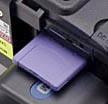 Image Storage and Interface
The DSC-S85 uses the proprietary Sony Memory Stick technology for image storage. An 8MB Memory Stick is supplied with the camera and additional media are available up to 128MB. Individual images can be write-protected from accidental erasure (except through card formatting) via the Protect option under the Playback settings menu. Individual write-protection also prevents the image from being changed in any way, such as rotating or resizing. The entire Memory Stick can be write-protected by sliding the lock switch on the stick into the locked position, which also guards against the entire stick being formatted.
The S85's LCD monitor reports the number of images remaining on the Memory Stick (based on current image resolution and quality settings), and displays a small graphic to let you know approximately how much space is available. (In Movie mode, the camera reports the available recording time.) Through the Playback settings menu, you can designate whether the camera numbers each image sequentially (from one Memory Stick to the next), or restarts file numbering with each new Memory Stick. The Playback menu also offers a Resize option, as well as Copy and Rotate tools. The camera's Digital Print Option Format (DPOF) compatibility allows you to mark specific images for printing. Through the Setup menu, you can decide whether or not to print the date and/or time on the image.
Image Size options include 2,272 x 1,704, 2,272 x 1,567 (3:2), 1,600 x 1,200, 1,280 x 960, or 640 x 480 pixels. The E-mail mode records a smaller (320 x 240-pixel) image size along with a file at the set resolution. Movie file sizes are 320 (HQ), 320 x 240, and 160 x 112 pixels for MPEG EX Movies, or 160 x 120 and 80 x 72 pixels for Clip Motion files. In addition to the uncompressed TIFF file format, the S85 offers both Fine and Standard JPEG compression levels, and a GIF option for Text and Clip Motion recording modes.
The table below shows the approximate still image capacities and compression ratios for an 8MB Memory Stick (main resolution sizes):
| Resolution/Quality vs Image Capacity |
|
|
|
|
|
|
|
|
|
|
|
|
|
|
|
|
|
|
|
|
|
|
|
|
|
|
|
|
|
|
|
|
|
|
|
|
|
|
|
|
|
480 |
|
|
|
|
|
|
|
|
|
|
The DSC-S85 is also accompanied by a USB cable for quick connection to a PC
or Macintosh computer, as well as a software CD containing interface software
and USB drivers. We clocked the S85 at 28.1 seconds for a 11,620KB file transfer,
at a rate of 414 KBytes/second. This is a faster than average for USB-connected
cameras we've tested.
Lost Images? - Download this image-recovery program so you'll have it when
you need it...
Since we're talking about memory and image storage, this would be a good time
to mention the following: I get a ton of email from readers who've lost photos
due to a corrupted memory card. It's tragic when it happens, there are few things
more precious than photo memories. Corrupted memory cards can happen with any
card type and any camera manufacturer, nobody's immune. "Stuff happens,"
as they say. A surprising number of "lost" images can be recovered
with an inexpensive, easy to use piece of software though. Given the amount
of email I've gotten on the topic, I now include this paragraph in all my digicam
reviews. The program you need is called PhotoRescue, by DataRescue SA. Read
our review of it if you'd like, but download the program now,
so you'll have it. It doesn't cost a penny until you need it, and even then
it's only $29, with a money back guarantee. So download PhotoRescue for
Windows or PhotoRescue for
Mac while you're thinking of it. (While you're at it, download the PDF
manual and quickstart
guide as well.) Stash the file in a safe place and it'll be there when you need
it. Trust me, needing this is not a matter of if, but when... PhotoRescue
is about the best and easiest tool for recovering digital photos I've seen.
(Disclosure: IR gets a small commission from sales of the product, but I'd highly
recommend the program even if we didn't.) OK, now back to our regularly
scheduled review...
Reader Comments! --> Visit our discussion forum for the Sony DSC-S85!


Follow Imaging Resource: